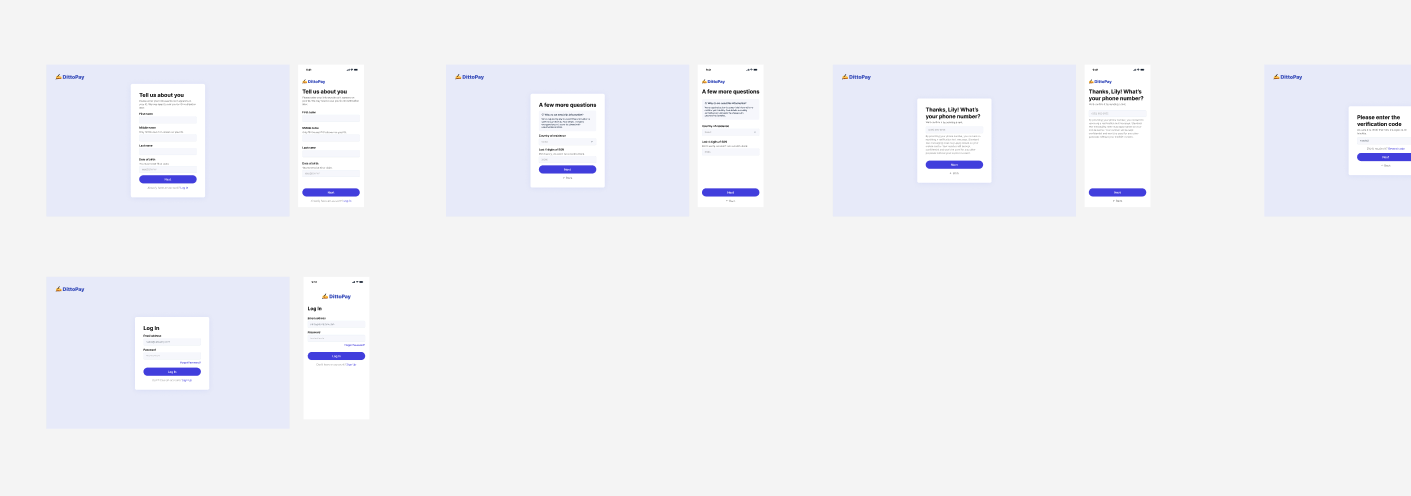
Each Ditto workspace starts with a sample project (DittoPay Signup Flow), a simple sign-up flow for a banking app with sample components, variants, variables, and plurals. The example repos below connect that sample project to a small frontend so you can see the CLI’s string files, developer IDs, variants, and variable interpolation in a working app.
The example repos were built for the 4.x CLI and use its config schema (sources:), and the iOS and Android repos have not been updated since 2023. They still run, but do not copy their configuration into a new project. For a new integration, scan your own repo and follow the current CLI configuration.
The DittoPay sample project in Ditto

Repositories

Follow each repo’s README to run it. All of them expect you to log in with npx @dittowords/cli login before pulling text; see Install and log in.

DittoPay: React

ditto-react-demo (default branch) uses the Ditto React SDK.

DittoPay: React with i18next

ditto-react-demo, branch react-i18next, uses the CLI’s i18next output.

DittoPay: iOS

ditto-ios-demo uses .strings and .stringsdict files.

DittoPay: Android

ditto-android-demo uses strings.xml resources.

What they show

  • How the CLI keeps text in sync from Ditto to a running app
  • How library components are shared across projects and referenced by developer ID
  • How variants (localization), plurals, and variables appear in each platform’s string format
For the current equivalents, see Set up localization for format examples and Files for the exact output structure.